6 Best Affordable Quality Photo Printers (UK 2026 Review)
✓ Reviewed by the IDEAL PICKS Team
Best Affordable Quality Photo Printers for Sharp, Colourful Prints
A cheap photo printer can quickly become an expensive purchase if you’re constantly replacing ink cartridges. And while some budget models produce sharp, colourful photographs, others struggle with skin tones, fine details or glossy paper. Finding good value means looking beyond the price of the printer itself.
In our reviews of the best affordable quality photo printers, we compare print quality, running costs, features and ease of use. Whether you’re printing family photos, holiday memories or pictures for frames, this guide will help you find a printer that delivers good results without unnecessary expense.
Quick PickS


 01
01
The HP Sprocket is a pocket-sized option for turning phone photos into keepsakes on the spot. Its small sticky-backed prints are particularly handy for scrapbooks, travel journals and party mementoes. You can customise pictures in the app before sending them over Bluetooth, and ZINK paper keeps the process free of ink cartridges. It's designed for quick, playful prints rather than larger photographs.
Pros
- Prints directly from a compatible smartphone
- Peel-off backing avoids the need for glue
- Personalised borders make prints more individual
- Small enough to take on days out
- Starter paper means you can print straight away
02
The Nelko PP01 is useful for anyone who enjoys printing phone pictures for craft projects rather than keeping everything on a screen. It makes small peel-and-stick photos for planners, cards and memory books, with an app for adding captions or combining images. Bluetooth connectivity keeps setup straightforward, and the included paper lets you start making prints without buying a separate pack immediately.
Pros
- 20-sheet starter pack offers more initial prints
- Collage layouts help fit several pictures into one print
- Adhesive backing is handy for decorating notebooks
- Portable design suits holidays and gatherings
- Prints are resistant to everyday smudging
03
The Canon PIXMA TR4755i is a sensible choice when family photographs are only part of what you need to print. It handles colour photos on suitable inkjet paper as well as homework, forms and letters, so there is no need for a separate document printer. Mobile printing is convenient for pictures stored on your phone, while scanning and copying make it useful around the house.
Pros
- Automatic duplex printing saves paper on documents
- Document feeder makes multi-page scanning easier
- Wireless Direct works without a home router
- Fax function can be useful for office paperwork
- Optional PIXMA Print Plan offers ink delivery
04
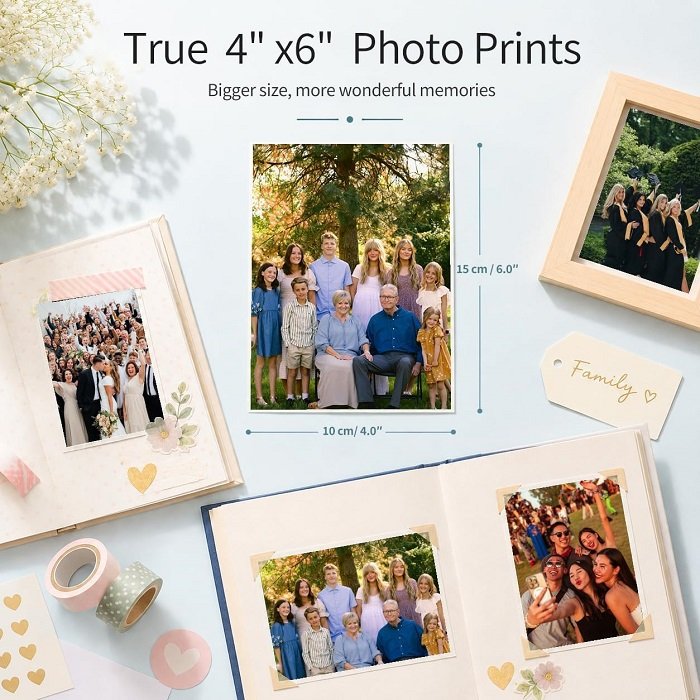
The YOTON printer is aimed at people who want proper photo-sized prints for albums, frames and gifts. Its dye-sublimation process produces 4×6-inch photographs, a more familiar format than the tiny stickers made by pocket printers. You can select and edit pictures on your phone, then print over Wi-Fi at home. The included paper makes it easy to put together an album of favourite moments.
Pros
- Standard print size fits common albums and frames
- Direct Wi-Fi connection does not need internet access
- Protective finish resists fingerprints and splashes
- App offers borders and creative layouts
- 54 supplied sheets cover a sizeable first batch
05
The HP Envy Photo 7234 suits homes where photo printing shares space with schoolwork and everyday paperwork. Its separate photo tray is particularly convenient when you want to print a few pictures without changing the main paper supply. Wireless controls and a colour touchscreen help with everyday tasks, while borderless printing gives family photographs a more finished appearance for albums and display.
Pros
- Photo paper can stay loaded between print jobs
- Print, scan and copy functions cover household needs
- Touchscreen gives direct access to printer settings
- HP app makes printing from a phone convenient
- Optional Instant Ink plan handles cartridge deliveries
06
The Canon PIXMA TS4150i is a compact all-in-one for households that want occasional photo prints without dedicating space to a separate machine. You can send pictures wirelessly from your phone and print them on compatible photo paper, alongside everyday letters and schoolwork. The built-in scanner and copier add flexibility, making this a practical choice for a smaller desk or shared home workspace.
Pros
- Compact body suits smaller desks and shelves
- Wireless printing avoids moving photos to a computer
- Scanner helps digitise paper documents
- Colour inkjet system handles mixed text and pictures
- Optional PIXMA Print Plan supports ink replenishment
Buying Guide & FAQ
How to Choose an Affordable Photo Printer
Choose the Right Printing Technology
Not all photo printers produce images in the same way.
-
Inkjet printers: A versatile choice for photos and everyday documents. Photo-focused models can produce detailed images with smooth colour transitions.
-
Dye-sublimation printers: Particularly useful for small photo prints, often using dedicated paper and ribbon cartridges. They're less versatile for general printing.
-
Refillable ink tank printers: Usually cost more initially but can offer significantly lower running costs if you print photographs regularly.
For occasional home printing, an affordable photo-capable inkjet may be sufficient. If you're printing large batches, the ongoing ink costs become much more important.
Consider Print Sizes and Paper Compatibility
Think about the photographs you'll actually print before choosing a printer.
| Print size | Suitable for |
|---|---|
| 6 × 4 inches | Photo albums and everyday snapshots |
| 7 × 5 inches | Small frames and gifts |
| A4 | Larger photographs and home displays |
| A3 | Posters and bigger framed prints |
Check the supported paper sizes and weights. Some compact printers are limited to small photos, while larger inkjets can handle everything from snapshots to A4 prints.
Tips for Getting Better Photo Prints at Home
Even a good printer can produce disappointing results with unsuitable paper or incorrect settings.
-
Use proper photo paper: Ordinary copier paper absorbs ink differently and rarely delivers the same colour depth or sharpness.
-
Choose the correct print settings: Select the appropriate paper type and photo-quality mode before printing.
-
Start with high-resolution images: Small, heavily compressed pictures can look blurry when enlarged.
-
Check the crop: Make sure important parts of the image won't be cut off when printing borderless photographs.
-
Try different paper finishes: Glossy paper gives colours a vibrant appearance, while matte paper reduces reflections.
-
Let prints dry properly: Follow the paper manufacturer's handling instructions to avoid smudges and fingerprints.
Printing tip: Before printing several copies, make one test print to check the colours, brightness and cropping. It can save both ink and expensive photo paper.
Can a Normal Inkjet Printer Produce Good Quality Photos?
Yes, provided it supports suitable photo paper and produces good colour output. You don't necessarily need a dedicated professional photo printer for family photographs or albums. However, a printer designed primarily for office documents may not reproduce colours and fine details as accurately as a photo-focused model.
Do Photo Prints Fade Over Time?
Yes. Longevity depends on the ink, paper, storage conditions and exposure to sunlight. Pigment-based inks generally offer good fade resistance when paired with compatible paper, while dye-based systems can produce vibrant glossy photographs. For longer-lasting results, use suitable photo paper and keep prints away from direct sunlight, excessive heat and moisture.
🏆 Our Top 3 Picks

